
Plugins › Effects
WIP Surreal
Turn a person into light or into glass: the viral surreal effects as one free plugin.
✓ Email confirmed
You're on the list. We'll email you the moment WIP Surreal is out.
Downloads aren't open yet. Want an email the moment WIP Surreal is out?
You're in. Every free plugin on the site is unlocked in this browser.
✉ One more step
Check your inbox
We sent a link to . Click it and you come back here with the download ready. Not there? Look in Spam or Promotions.
·
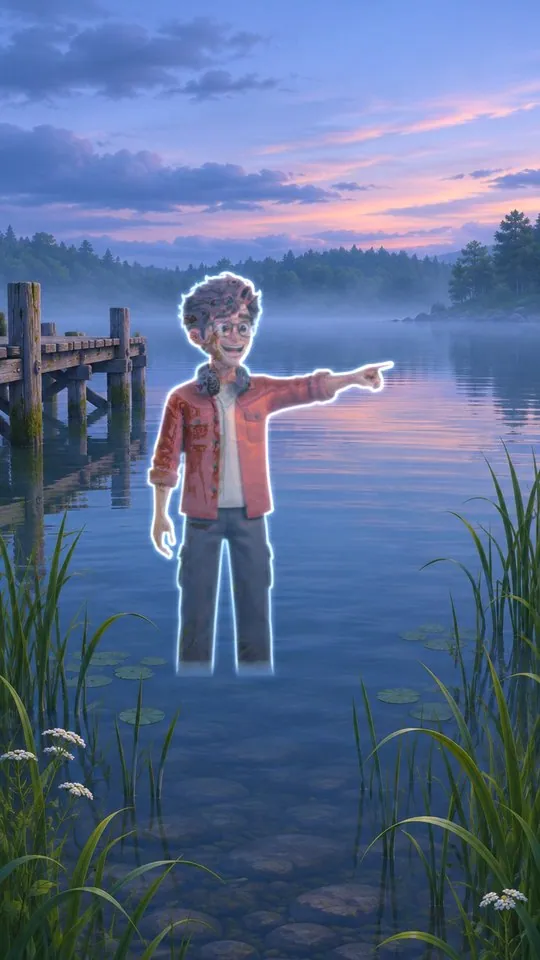
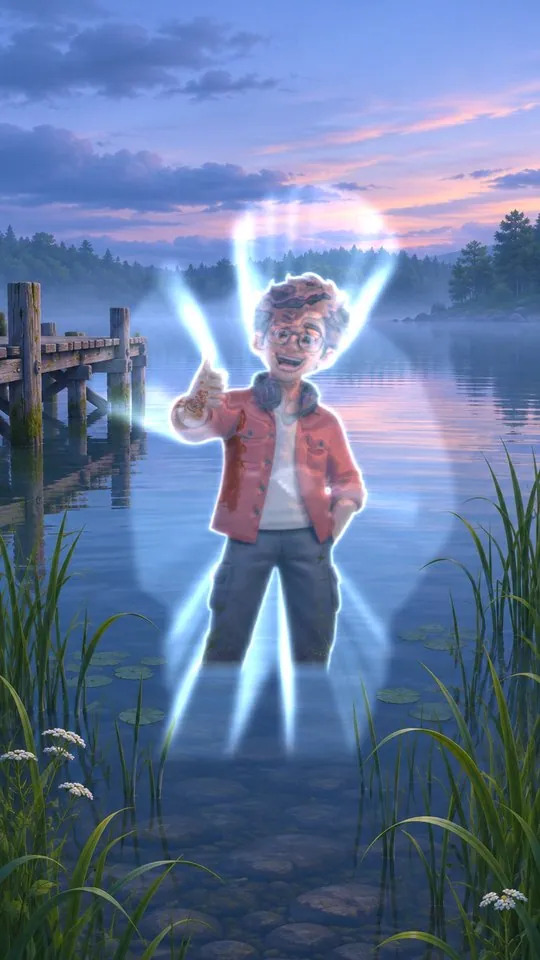
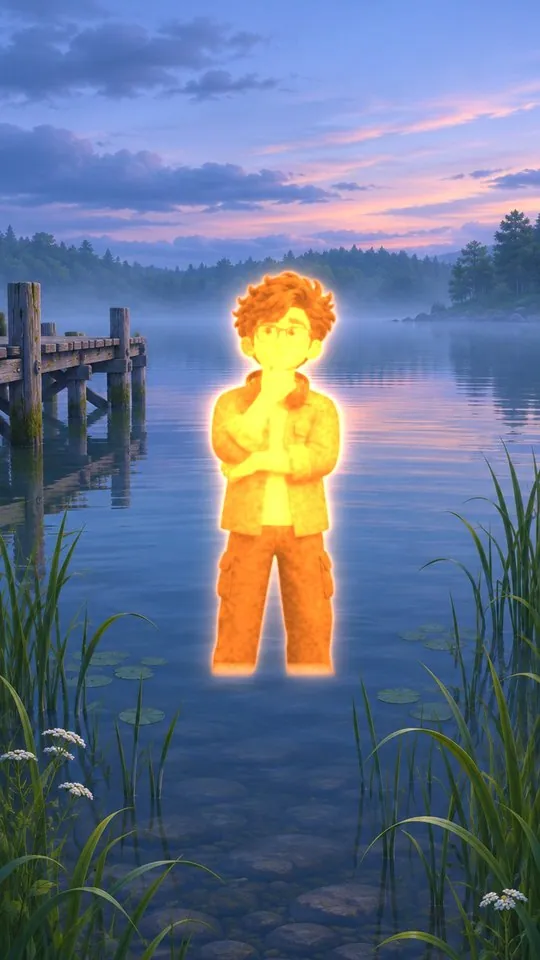
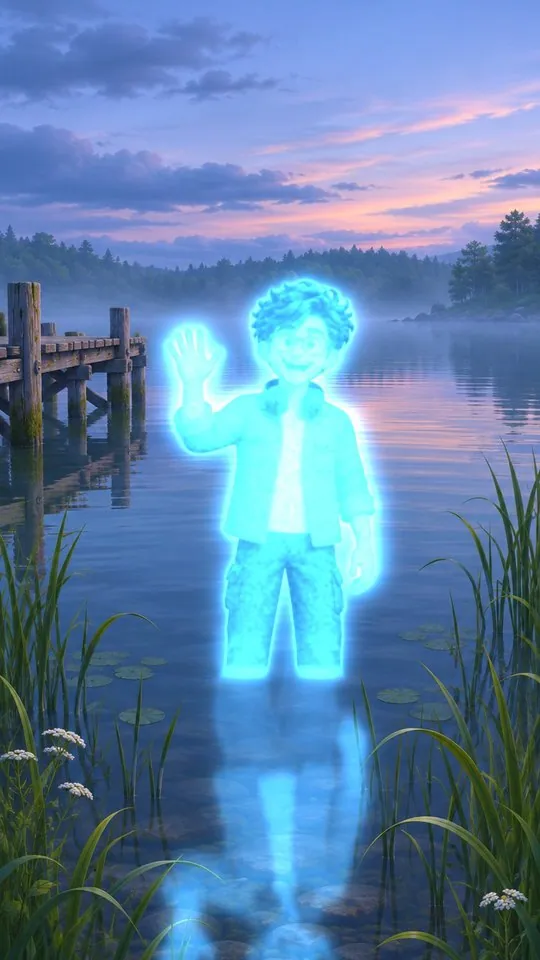
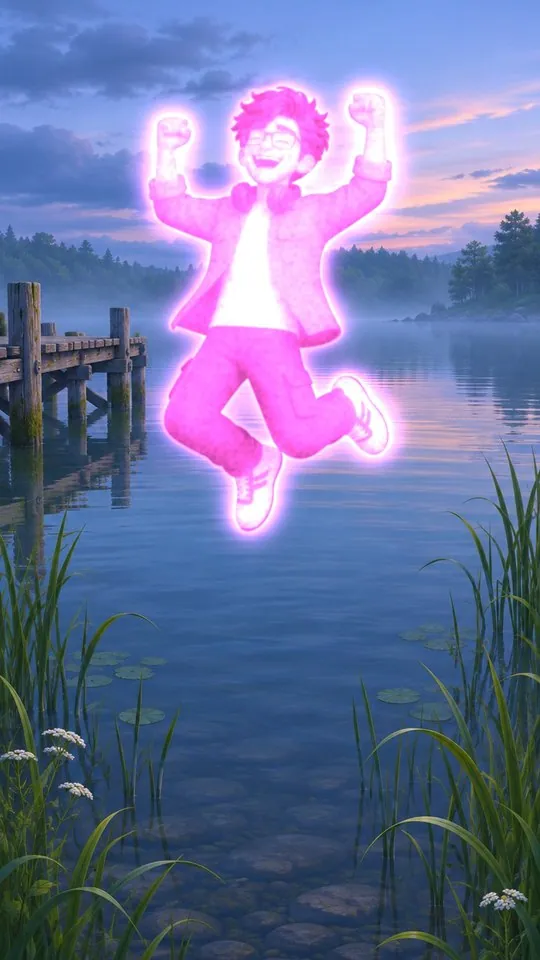
invisible glass · glass + rays · orange glow · glow + reflection · glow, any colour
What it is
What it does
Two looks in one effect. Invisible turns the person to liquid glass: the scene behind bends through their body, with chrome highlights, an edge light, rainbow and rays. Drop an empty shot of the scene for true see-through, or pick Original Clip and it fills the gap itself. Glow turns them into a body of light in any colour, with a soft halo, light spilling on the scene, a glowing reflection on water, and Fall, Float or Rise moves. Mask your subject with Object Mask (free), drop WIP Surreal on the cut-out and you are done. Works in free Resolve.
- Invisible: liquid glass that bends the real scene behind the person
- Drop an empty shot for true see-through, or let it fill the gap from the original clip
- Glass controls: refraction, chrome highlights, glass shape, shimmer, rainbow, edge light, rays and ghost
- Glow: a body of light in any colour, with halo size, falloff, grain and light spilling on the scene
- Glowing reflection on water or shiny floors, with ripple and blur
- Fall, Float or Rise moves, plus in and out animation with a flash
- Works on an Object Mask cut-out or any clip with transparency, in free Resolve
Use it for
- Surreal music video and fashion edits
- Ghost and superhero moments
- Dreamy travel and nature reels
- Intro and outro reveals
Tips
- Put the Object Mask cut-out on the track above the original, then drop WIP Surreal on the cut-out.
- A real empty shot of the scene gives the cleanest invisibility: lock the camera when you film it.
- On a moving camera, pick Background Is: Original Clip (auto fill).
- Raise Ghost a little if the person should still be faintly seen.
- Raise Body Detail to keep the face readable inside the glow.
- After updating, delete the effect from your clip and drag it on again.
Install · about a minute
Four steps
- 01
Unzip the download, then double-click the .drfx file inside. Resolve installs it for you.
- 02
Restart DaVinci Resolve.
- 03
On the Edit page, open Effects › Effects › anukalp.wip.
- 04
Drag it onto your timeline, select it, and change everything in the Inspector.
Double-click doesn't work? Copy the .drfx into ~/Library/Application Support/Blackmagic Design/DaVinci Resolve/Fusion/Templates/ on Mac, or %APPDATA%\Blackmagic Design\DaVinci Resolve\Support\Fusion\Templates\ on Windows, then restart Resolve.
Troubleshooting
If something's off
- It isn't in the Effects library. Restart Resolve after installing. Still missing? Use the manual install path above.
- It looks different from the demo. Check you're on Resolve 21, then compare your Inspector settings with the defaults in the guide.
- Known issues: It needs a cut-out: on a plain clip with no transparency the whole frame is treated as the subject.
Compatibility
Version 1.0.0
| Works on | macOS, Windows |
|---|---|
| DaVinci Resolve | 21 (tested on Mac) · Free and Studio |
| Released | 15 Nov 2026 |
| Download size | 1.3 MB |
What's new in 1.0.0
- First release: Invisible (liquid glass, clean plate or auto fill) and Glow (any colour, reflection, Fall / Float / Rise).
Free download · 1.3 MB
Get WIP Surreal
Enter your email and we'll send a download link. Already confirmed for another plugin? Same address, no new steps.Downloads aren't open yet. Leave your email and you'll hear the moment WIP Surreal is out.
✓ Email confirmed
You're on the list. We'll email you the moment WIP Surreal is out.
Downloads aren't open yet. Want an email the moment WIP Surreal is out?
You're in. Every free plugin on the site is unlocked in this browser.
✉ One more step
Check your inbox
We sent a link to . Click it and you come back here with the download ready. Not there? Look in Spam or Promotions.
·