
Plugins › Effects
Liquid Glass
The liquid glass UI look on any clip. Drop it on, pick your glass, no Fusion nodes.
✓ Email confirmed
You're on the list. We'll email you the moment Liquid Glass is out.
Downloads aren't open yet. Want an email the moment Liquid Glass is out?
You're in. Every free plugin on the site is unlocked in this browser.
✉ One more step
Check your inbox
We sent a link to . Click it and you come back here with the download ready. Not there? Look in Spam or Promotions.
·
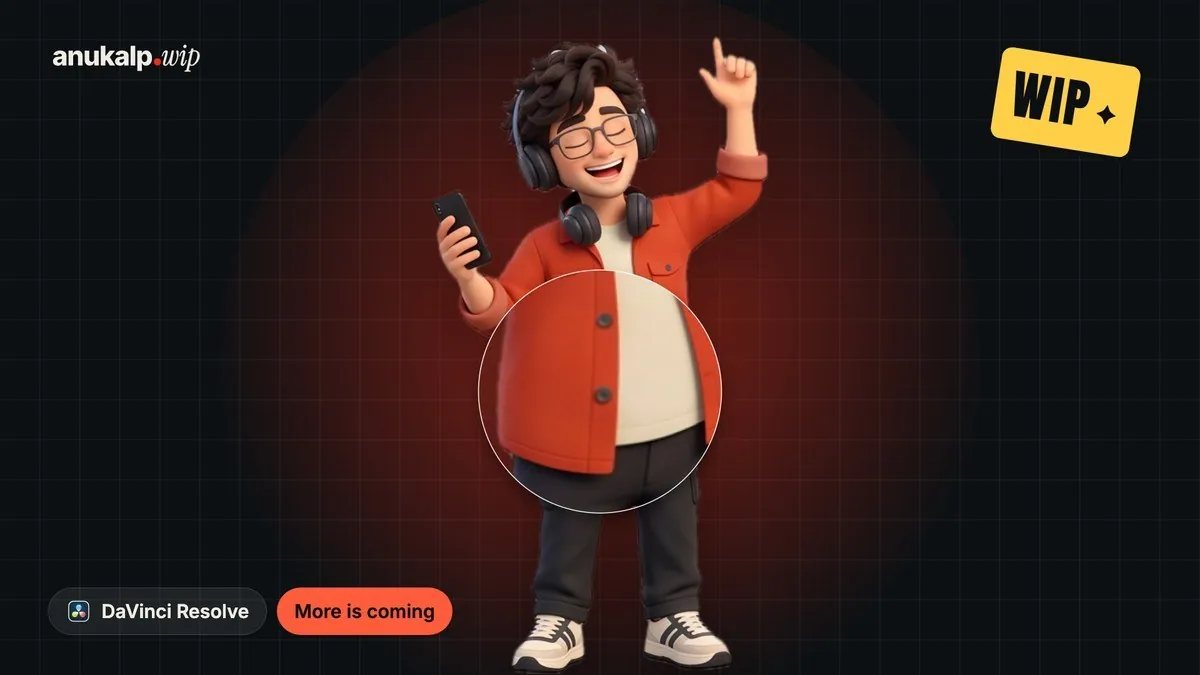
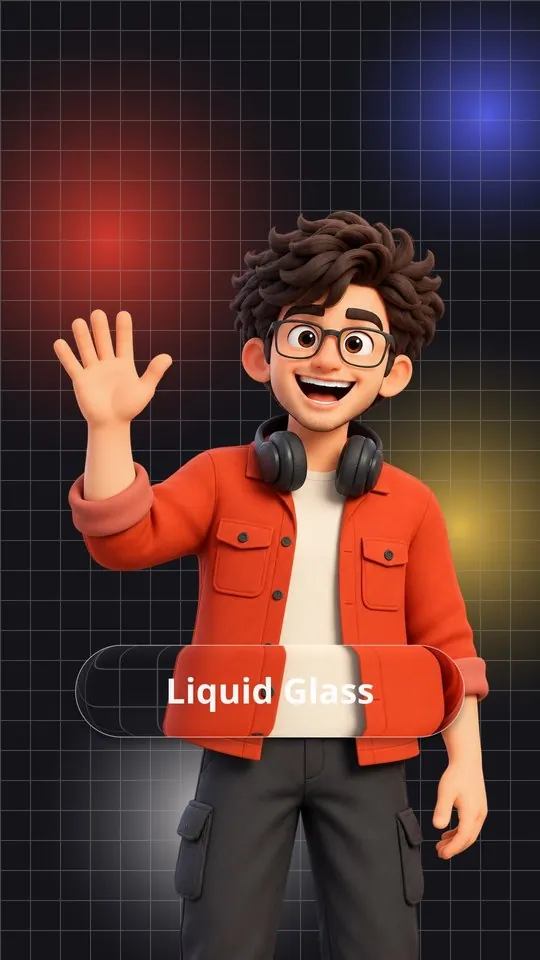

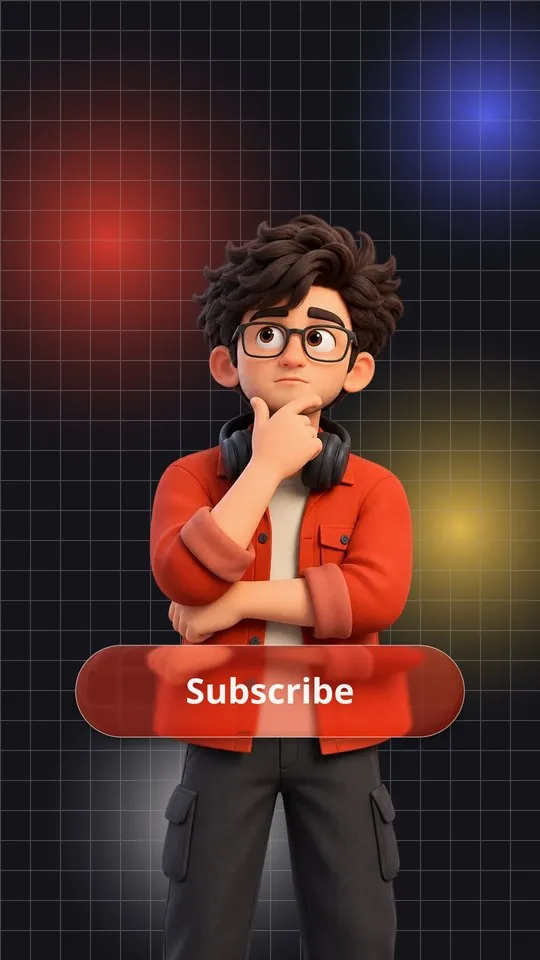
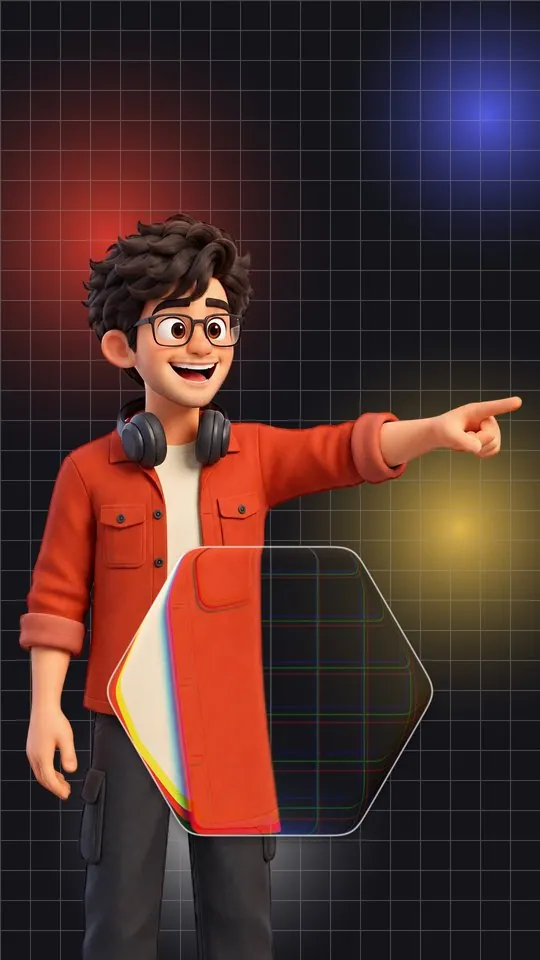

Real frames from the plugin: Clear · Frosted · Tinted · Prism polygon · Bubble
What it is
What it does
Puts a piece of real-looking glass over your video: the picture behind it bends at the edges, with a soft rim light, a thin rim line and a shadow. Pick Clear, Frosted, Tinted, Prism or Bubble glass, then a rounded rectangle, pill, circle or your own polygon. You can put text inside the glass or leave it empty, and it pops in and out with a liquid wobble. Only the controls for the options you pick show in the Inspector. Works in free Resolve.
- 5 glass types: Clear, Frosted, Tinted, Prism and Bubble
- Rounded rectangle, pill, circle, or a polygon with 3 to 12 sides
- Real refraction at the edges, rim light, rim line and shadow
- Text inside the glass, or none
- Built-in In and Out animations with a liquid wobble
- Only the controls for your choices show in the Inspector
Use it for
- Buttons, labels and lower thirds in reels
- Subscribe and follow callouts
- Tech, UI and product-style edits
- Magnifying a detail with the Bubble glass
Tips
- Glass needs something behind it to bend: it looks best over busy, colourful footage or text.
- Bubble with Magnify up makes a lens that enlarges what's under it.
- Polygon with a low Corner Roundness gives crisp gem-like shapes.
- Turn Liquid Wobble up for a jelly-like pop, down for a clean UI pop.
Install · about a minute
Four steps
- 01
Unzip the download, then double-click the .drfx file inside. Resolve installs it for you.
- 02
Restart DaVinci Resolve.
- 03
On the Edit page, open Effects › Effects › anukalp.wip.
- 04
Drag it onto your timeline, select it, and change everything in the Inspector.
Double-click doesn't work? Copy the .drfx into ~/Library/Application Support/Blackmagic Design/DaVinci Resolve/Fusion/Templates/ on Mac, or %APPDATA%\Blackmagic Design\DaVinci Resolve\Support\Fusion\Templates\ on Windows, then restart Resolve.
Troubleshooting
If something's off
- It isn't in the Effects library. Restart Resolve after installing. Still missing? Use the manual install path above.
- It looks different from the demo. Check you're on Resolve 21, then compare your Inspector settings with the defaults in the guide.
- Known issues: none reported for this version yet.
Compatibility
Version 1.0.0
| Works on | macOS, Windows |
|---|---|
| DaVinci Resolve | 21 (tested on Mac) · Free and Studio |
| Released | 4 Nov 2026 |
| Download size | 1.2 MB |
What's new in 1.0.0
- First release: 5 glass types, 4 shapes, text inside, liquid In and Out animations, 43 controls.
Free download · 1.2 MB
Get Liquid Glass
Enter your email and we'll send a download link. Already confirmed for another plugin? Same address, no new steps.Downloads aren't open yet. Leave your email and you'll hear the moment Liquid Glass is out.
✓ Email confirmed
You're on the list. We'll email you the moment Liquid Glass is out.
Downloads aren't open yet. Want an email the moment Liquid Glass is out?
You're in. Every free plugin on the site is unlocked in this browser.
✉ One more step
Check your inbox
We sent a link to . Click it and you come back here with the download ready. Not there? Look in Spam or Promotions.
·